
Communications Corner
Weekly AI Tips
Check out our AI Tips on the UTHSC Newsserver.
Artificial Intelligence (AI) Staff Spotlight
Chris Madeksho, CISA | CRISC | CHP | SSAP
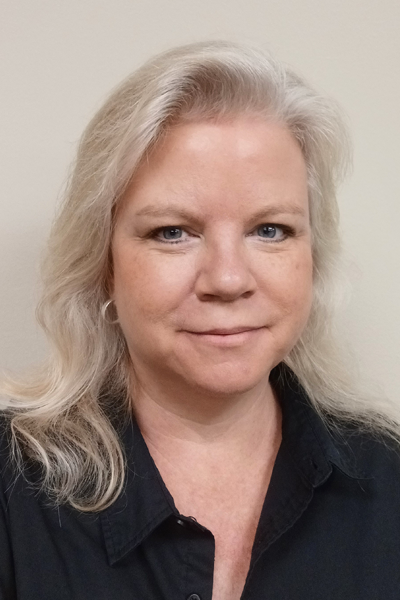
Senior Security Analyst - GRC
HIPAA Security Officer for UT Health Sciences
Digital Technology Services
University of Tennessee System Administration
Recognizing Leadership At The Intersection of AI and Cybersecurity
As artificial intelligence becomes increasingly integrated into higher education, research, and healthcare, Chris Madeksho has helped the University of Tennessee develop practical guidance for using AI securely and responsibly.
As UTHSC's HIPAA Security Officer and a member of the University's shared Governance, Risk, and Compliance (GRC) team, Chris works at the intersection of cybersecurity, data protection, regulatory compliance, and emerging technology. Her responsibilities include evaluating technology risk, protecting electronic protected health information (ePHI), supporting HIPAA Security Rule compliance, and helping faculty, researchers, and staff understand how institutional data can be appropriately used with new technologies.
Chris has also played an active role in developing AI guidance for the University of Tennessee. Her work has included helping establish a risk-based approach to AI use based on UT's data classifications, developing guidance for the use of public, contracted, and University-managed AI platforms, and helping define when additional security and GRC review is necessary (https://oit.utk.edu/ai/). This work provides faculty, staff, researchers, and administrators with practical direction for determining what information can be used with AI and when additional safeguards are required.
At UTHSC, Chris applies this guidance to real-world use cases involving research, clinical operations, HIPAA-regulated data, and emerging AI technologies. Rather than approaching AI solely as a technology issue, her work focuses on enabling appropriate use while ensuring that security, privacy, data governance, and regulatory requirements remain part of the decision-making process.
Through her roles in GRC and HIPAA Security, Chris continues to help UTHSC and the broader UT community navigate AI adoption with a focus on informed decision-making, responsible data use, and effective risk management.